tl;dr: https://github.com/spodzone/iq/ exists
About 13 years ago, I bought the book Machine Learning in R as a way to teach myself both the concepts and the language. In many ways, that worked. It made a great foundation for understanding the processes of machine learning (training models, analysing models, running models on novel data) across increasingly complex model designs. (I still have favourable memories of Random Forests.)
It was around that time that Google Magenta was coming up with increasingly complex deep neural networks for solving various problems – “hey look we can generate music in the style of Bach!” and all that.
Super-Resolution
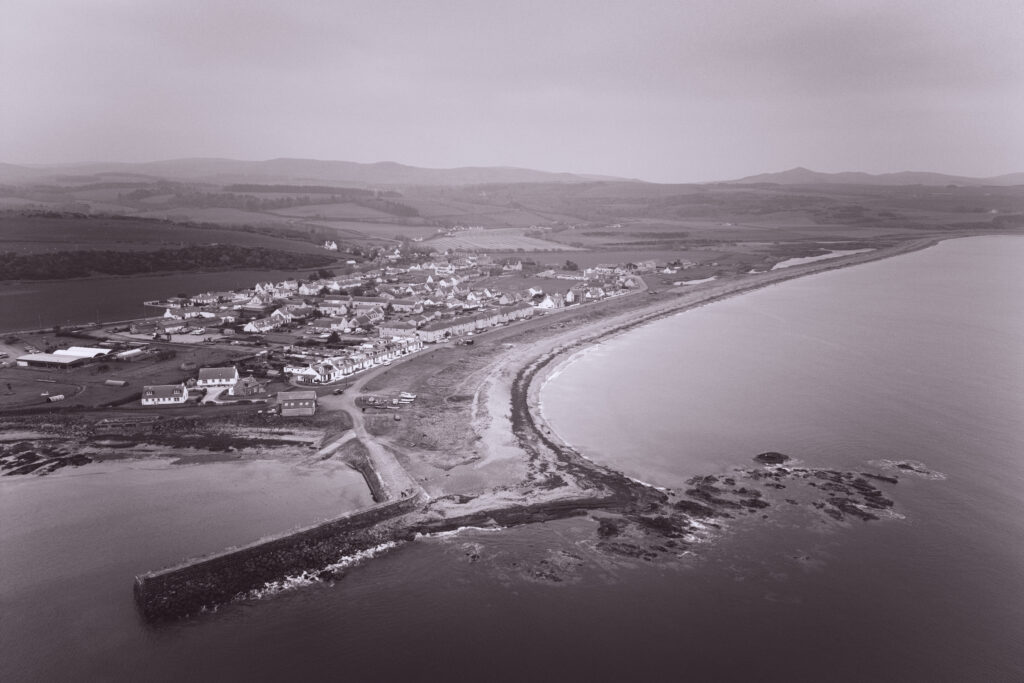
In my photography, I’m unashamedly proud of pixel-peeping – and use a variety of computational photographic techniques to maximize the image quality. One of the more useful ideas that stuck in my mind was single-image super-resolution. Rather than inventing detail from whole cloth, you train a model based on existing data such that it learns the differences between an image at its natural size and the same thing arrived at by downsampling and upscaling – effectively, instead of storing “this is a dog, this is a mountain”, you train it “these are the kinds of artefacts you’ll get when using Lanczos-4 to upscale”. Those residuals can then be applied to other images…
Last year I bought a comparatively small GPU for the linux workstation upstairs. The improvement in some workflows was mind-blowing: generating 4k thumbnails for youtube videos with ComfyUI used to take 2-3 minutes on the old M2 macbook; on the GPU box, that was down to under 10 seconds.
Some years ago, I used entirely open-source applications for photography. RawTherapee was a particular favourite for RAW conversion, darktable for polishing/finishing/editing, digiKam for organizing everything. But… the actual blending of HDR and focus-bracket stacks that defines much of my photography was either done painstakingly by hand in Affinity or Luminar Neo (which, to be fair, are very reliable at handling distortion and weird alignment patterns), or with a veritable hotch-potch of zsh scripts that really don’t deserve to see the light of day, kludging together align_image_stack, imagemagick’s convert, enfuse and exiftool and other things in the hope that the subframes would align properly. They often didn’t, if there was anything wonky in RawTherapee’s handling of the lens distortion, but at least they could iterate over a set of subdirectories in batch.
So, long story about to get shorter – after wasting a lot of time doing battle with VS Codium and various extensions, I subscribed to Cursor and set it up to use GLM-5. Before I knew it, a script was born that implemented my single-image super-resolution algorithm. No more reliance on Lanczos-4 or other weird and wonderful but all inherently limited upscaling algorithms! Best of all, because I’ve been careful about pixel detail and in any case the script works by generating its own temporary “ground truth” by downscaling the source photo by a factor of 2 so the source image’s pixel-quality isn’t hugely significant anyway, I can train the model on my own photographic archives.
Image Blending
Anyway, from there it was the work of a moment to add a couple more python scripts I find useful. In particular, pic3blend.py (named approximately after a former zsh function) implements all the image-blending I could ever want.
Here’s how it works. I return home after an afternoon shooting stuff out & about and filter my photos down to things that are worth attempting some processing on. These RAW images get converted with either DxO or RawTherapee. The resultant 16-bit TIFFs are moved into subdirectories like:
~/Pictures/offloads/20269315-somewhere/fuji/converted/ :- coll-hdr-01
- coll-hdr-02
- coll-hdr-03
- …
- coll-focus-01
- coll-focus-02
- coll-focus-03
- coll-focus-04
- …
- coll-mean-01
- coll-mean-02
- coll-mean-03
- …
From this converted directory, I run the new pic3blend.py . It loops over all the coll-* directories it finds, upscales or super-resolves every image within them, aligns the larger images, detects and fixes ghosting artefacts and applies the relevant blend mode (either derived from the directory name, as above, or overridden with the --mode= parameter.
Evidence is that it works, too. On the left, a view of a single frame blown-up 200% in digiKam; on the right, 3 frames super-resolved using my new script & model and HDR blended with enfuse.
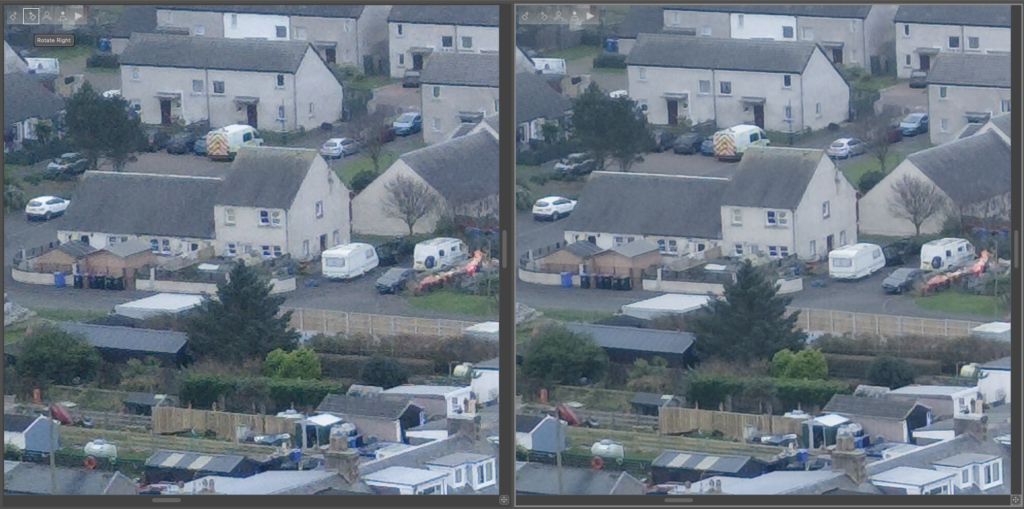
I’m well impressed. It’s almost like maths works, or something.
Timelapse Linear Interpolation
The third script is a quick and lightweight partial reimplementation of something I wrote many years ago to solve pain-points in timelapse photography. Frequently, timelapse sequences can be subject to various glitches in the time axis – battery goes flat, exposure time vs intervalometer vs slow SD card lead to skipping an interval, or in the cases of aurora or NLCs the subject-matter is so dark that it takes long exposures to get any light in the camera so you can’t take that many frames to run the sequence directly at the faster frame-rate.
Enter interpolation. This script takes three parameters:
python timelapse-v2.py in-dir no-frames out-dir
It reads all the image files in in-dir, determines their timestamp from either the DateTimeOriginal field in the EXIF metadata or from the files’ mtime on disk; it divides that block of time into no-frames slices; it decides which two images fit either side of each slice and interpolates linearly between those two frames; outputs go in out-dir.
The results can be blended using ffmpeg:
cat out-dir/* | ffmpeg -i - -r 50 -qscale 0 -y timelapse.mp4
Github Repository
So, that’s how this little image-quality repository came about. If you like it, if you can cope with vibe-coded python, feel free to enjoy. They solve my problems; if they solve some of yours as well, all to the good. No warranties, no guarantees, GPL v3.